
I'm Kumar from F-Grade, and in this walkthrough I show how CRM Services for Real Estate Companies can be built and customized using Zoho CRM and the financial data have done in Zoho Books . Over the years we've created many Zoho applications, and a recent client asked for a complete sales CRM that handles everything from lead capture and qualification to flat booking, quotations, invoicing, and installment tracking. What follows is a clear, step-by-step guide to that solution and how it streamlines the sales process for real estate teams.
[VIDEO: https://firebasestorage.googleapis.com/v0/b/videotoblog-35c6e.appspot.com/o/users%2FWIm3cwxzcWM8m24bmanqAgPNIxo2%2Fvideos%2FZohoCRMforRealEstate.mp4?alt=media&token=c00afb28-88a5-4aba-9a1c-edc236cbc13d]
Outline
-
Why a tailored CRM matters for real estate
-
Dashboard and custom module: Flat details
-
Lead capture to qualification to deal creation
-
Flat allocation and mandatory business rules
-
Quotation creation and Zoho Books integration
-
Customer portal, quotation acceptance and invoicing
-
Next steps, custom enhancements and how to get help
Why CRM Services for Real Estate Companies?
Real estate sales involve many moving parts: multiple towers, flats with different orientations and configurations, installments, site visits, and close coordination between sales and accounts. Off-the-shelf CRM layouts rarely reflect these domain-specific flows. CRM Services for Real Estate Companies tailor processes and data models so salespeople can focus on closing deals instead of managing spreadsheets.
Dashboard and a Custom "Flat Details" Module
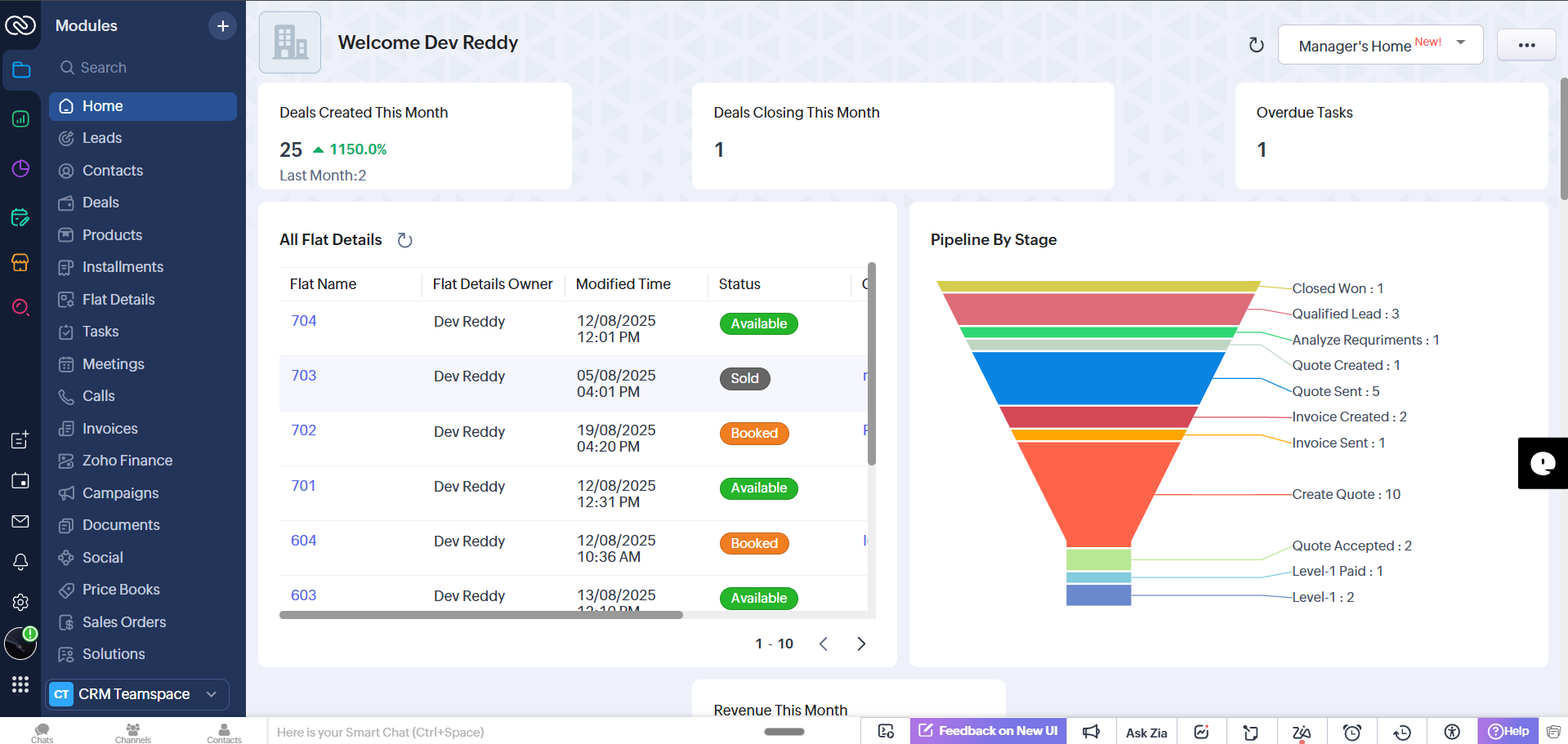
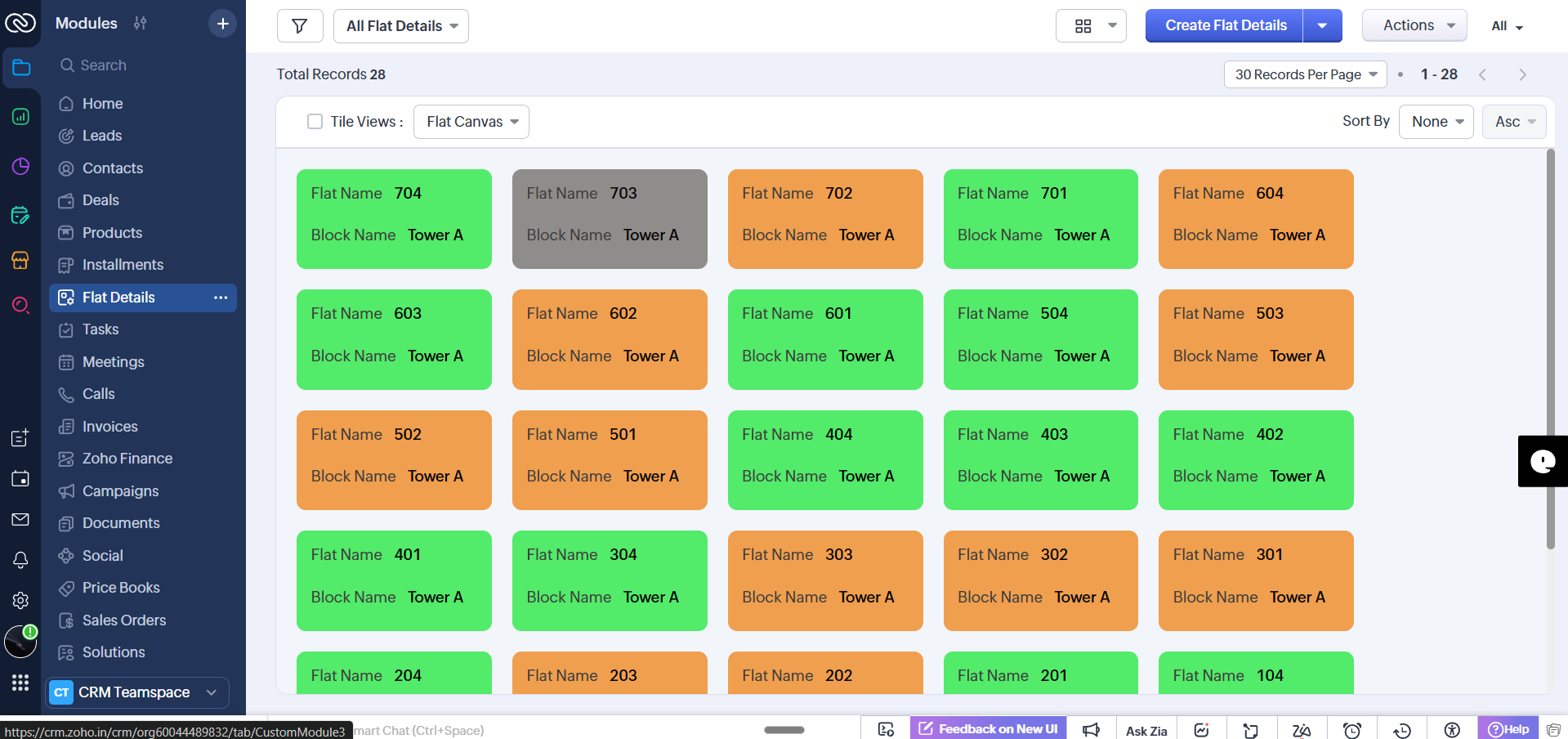
We started by customizing the Zoho CRM dashboard so sales reps immediately see the information they need. A custom module called " Flat Details " was created with several views—including a tile (floor-plan like) view—so the team can visualize tower inventory at a glance.
In the tile view, each flat tile is color-coded: green indicates available flats, black indicates booked flats, and orange shows flats in transition or partially paid. This color system gives instant insight into inventory status without opening records.
From Lead Capture to a Qualified Contact and Deal
The typical flow begins when a lead enters the CRM—via the website, Google Ads, referral or manual entry. When a lead record is created, sales reps have quick actions available like calling the lead directly (when telephony is integrated) or marking contact events.
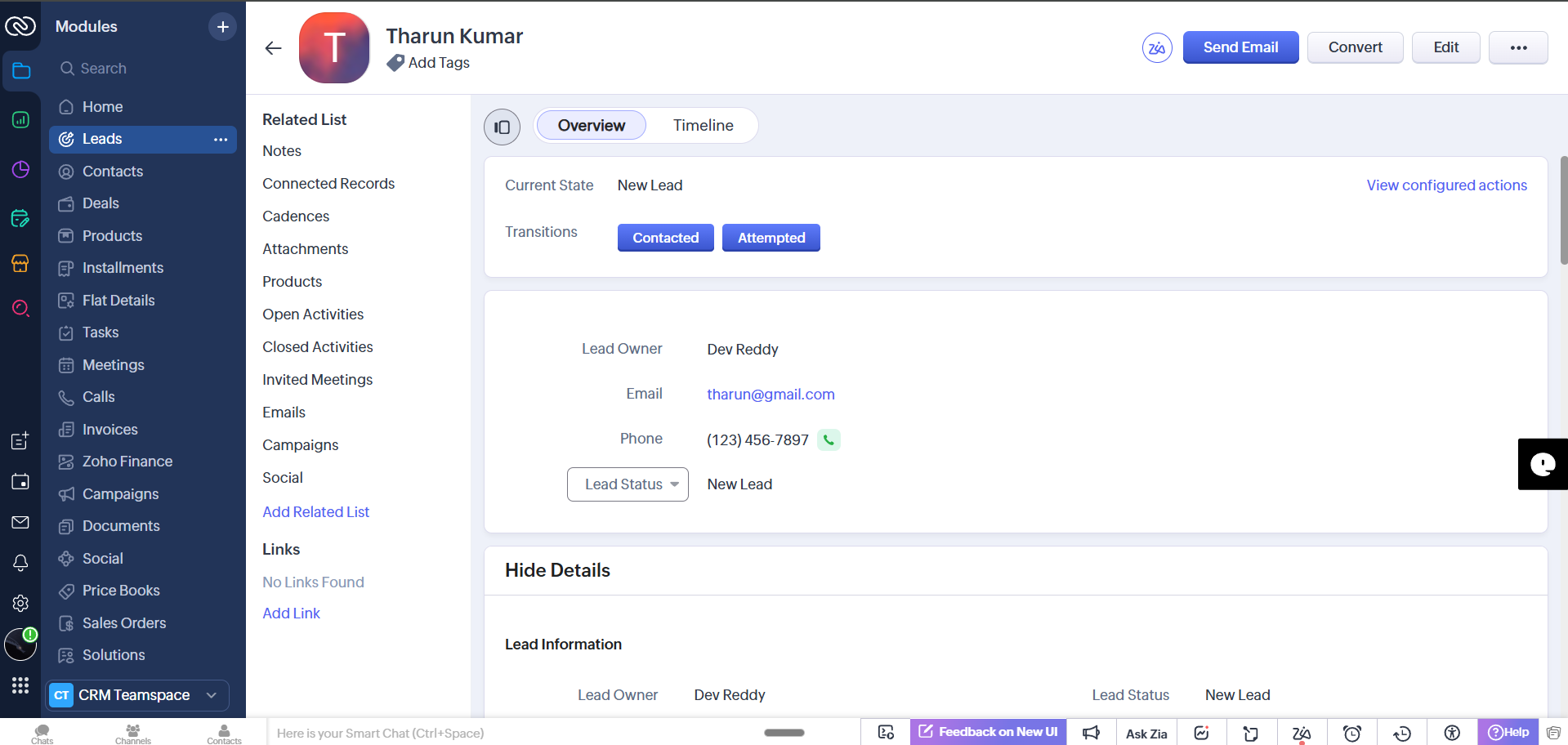
During the initial contact, reps add call notes. If the lead shows genuine interest, they mark it as "Qualified." The qualification step triggers fields that capture key buyer preferences (for example, unit configuration, parking requirement, and facing direction).
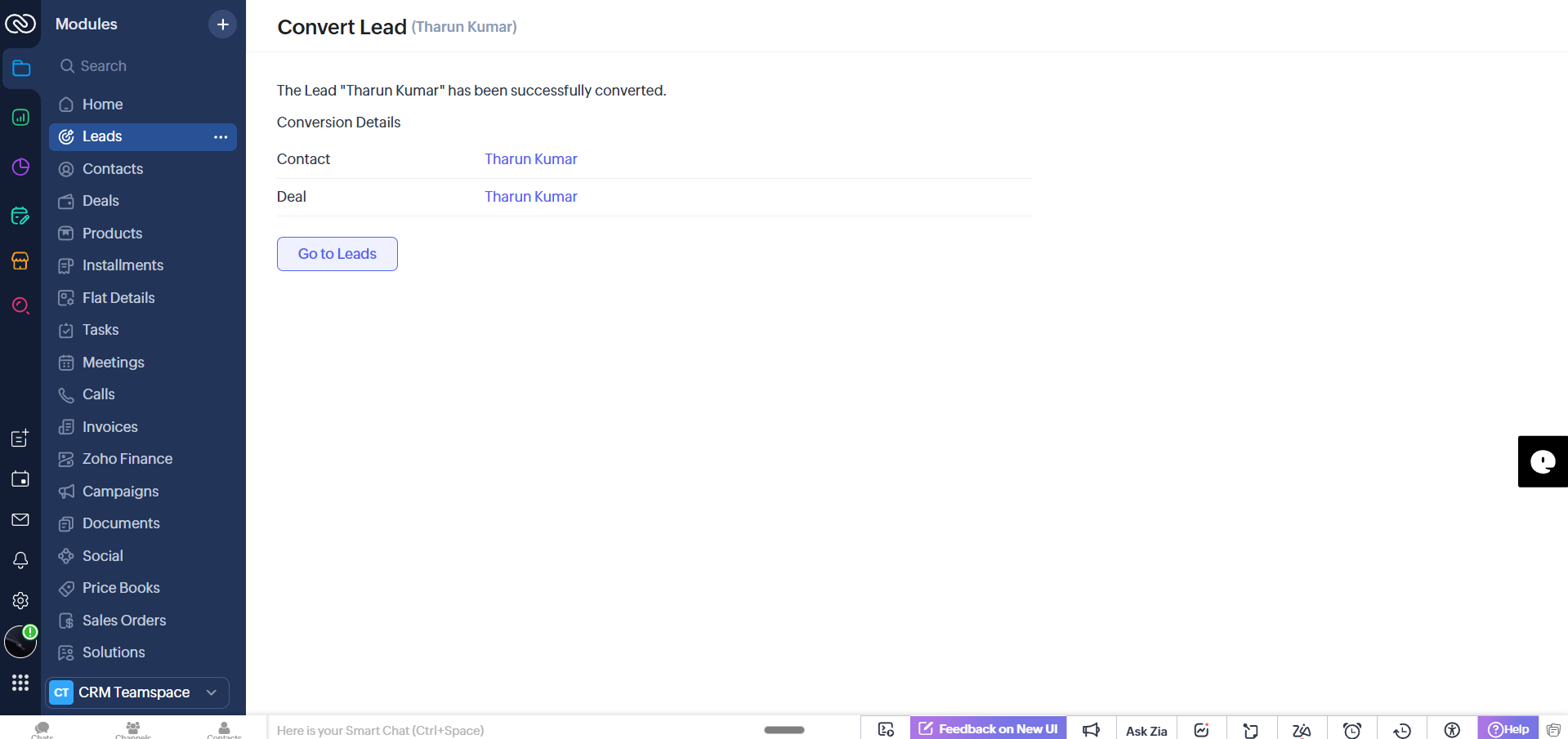
When saved, the lead automatically converts to a Contact and a Deal is created in Zoho CRM so the sales process can proceed through custom stages such as "Analyzing Requirements" and "Create Quotation."
Flat Allocation and Business Rules
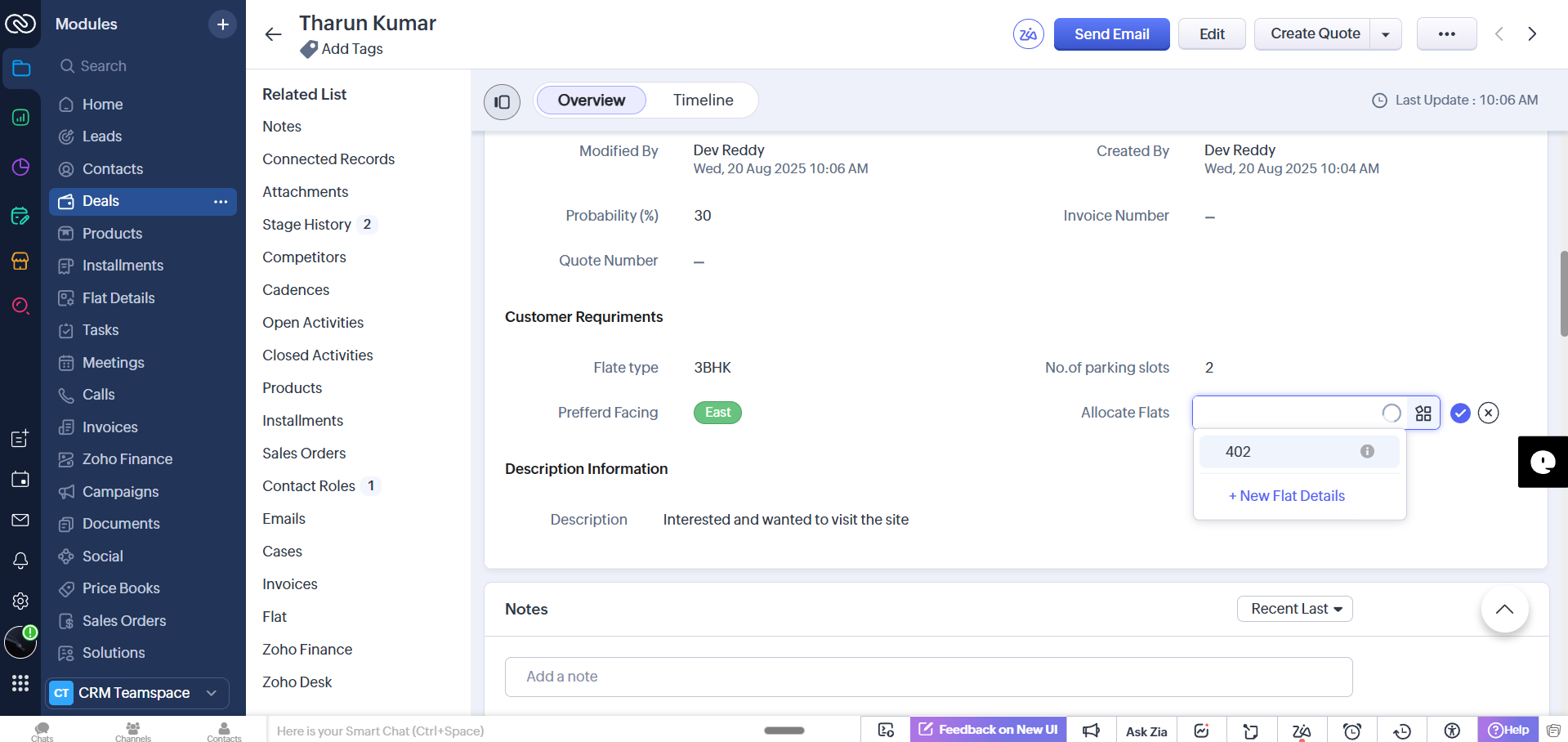
Before creating a quotation, the system enforces a required step: allocate a flat. This prevents sending quotes without tying them to a physical unit. The allocation view filters available flats based on buyer preferences (e.g., 3 BHK, south-facing). Only matching units (e.g., 402 and 602) appear for selection.
Quotation Creation and Zoho Books Integration
Once a flat is allocated and the Deal is moved to the quotation stage, a single click creates a quotation. That quotation is automatically pushed from Zoho CRM into Zoho Books (the accounting side). This eliminates duplicate data entry and ensures the finance team has accurate sales records.
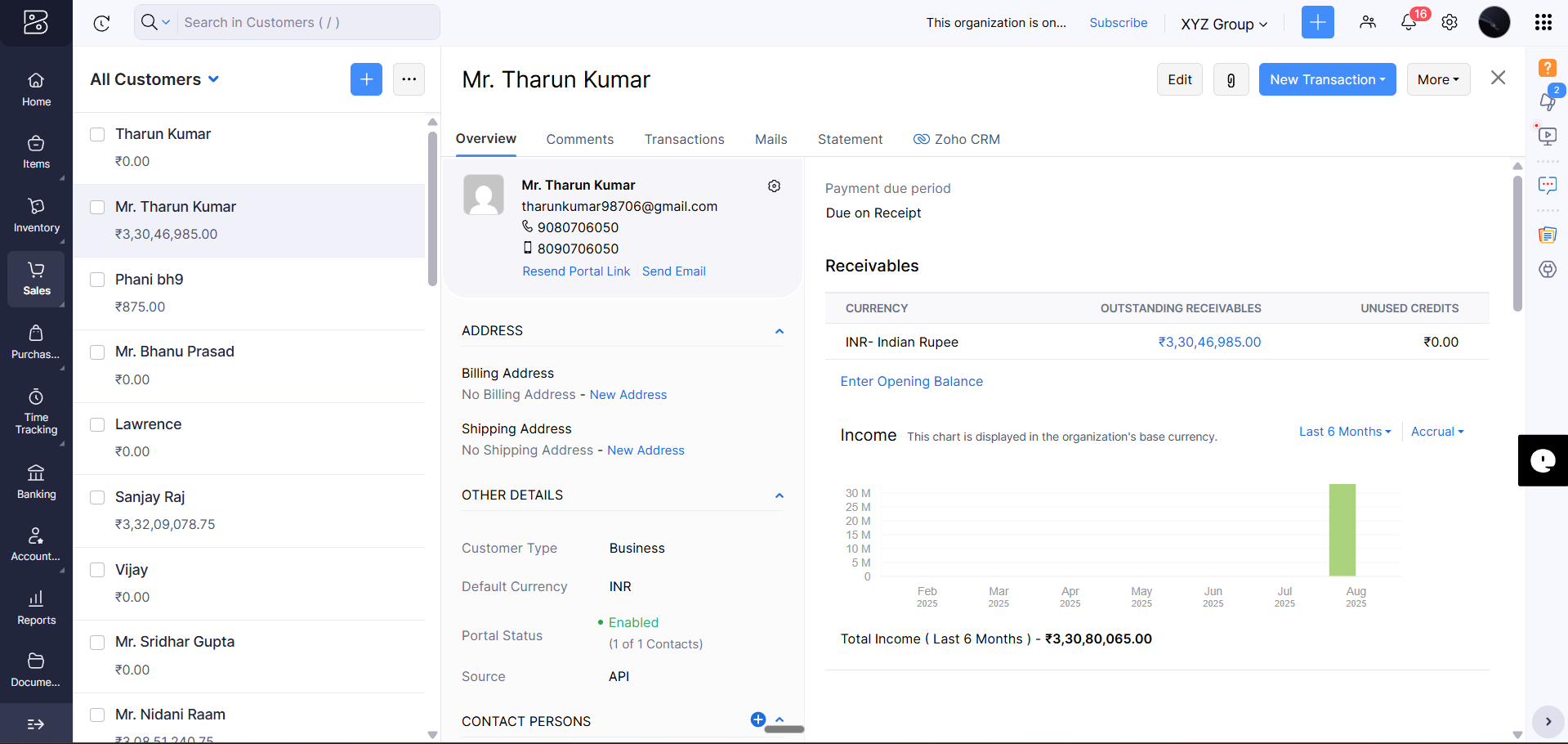
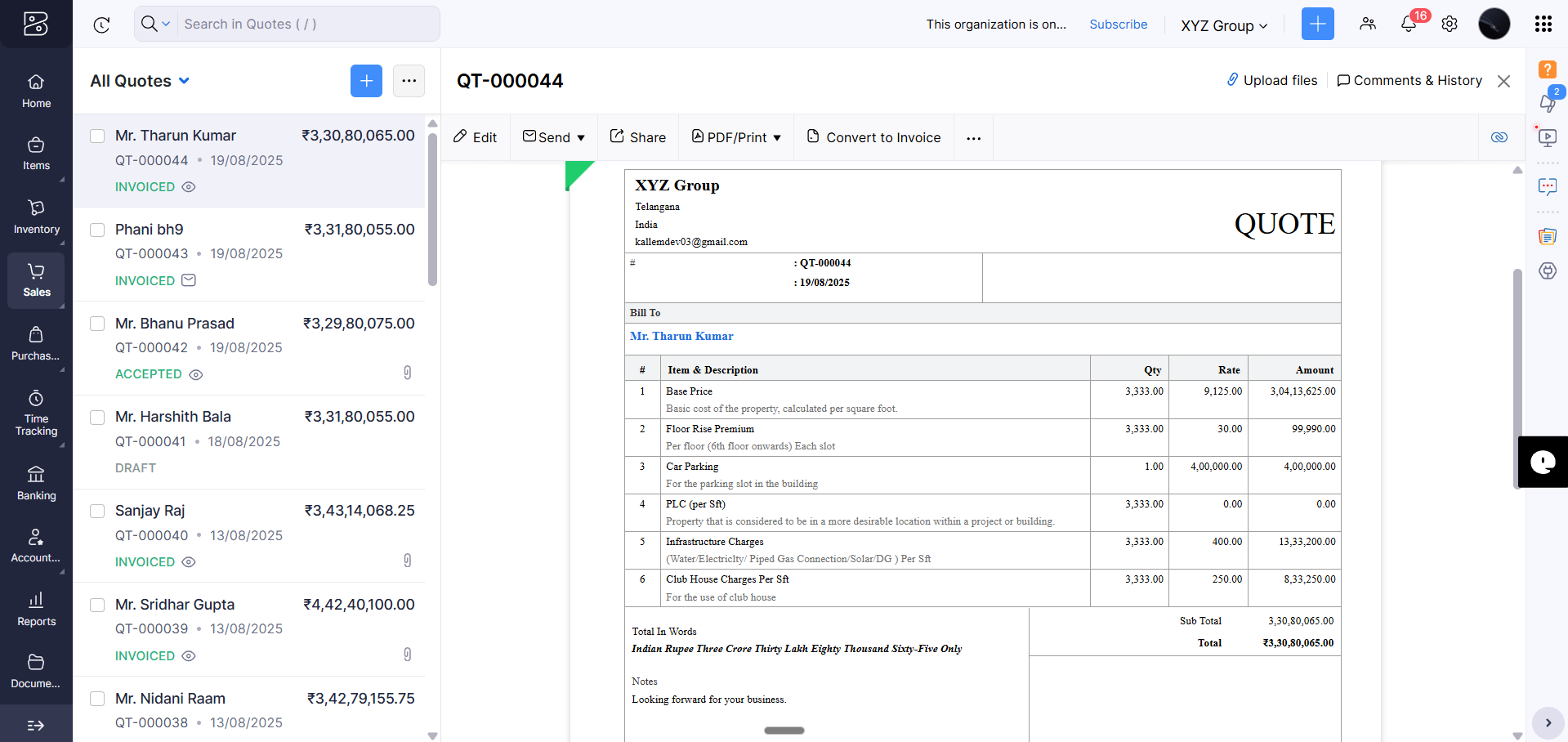
From Zoho Books you can review the generated quotation under the customer's transactions. The quote moves through statuses (Created → Sent) and is then available for customer review in the portal .
Customer Portal: Quote Acceptance and Invoice Generation
Customers receive an invitation to the portal where they can view and accept the quotation. Once they accept, the CRM syncs that action and you can convert the accepted quote into an invoice .
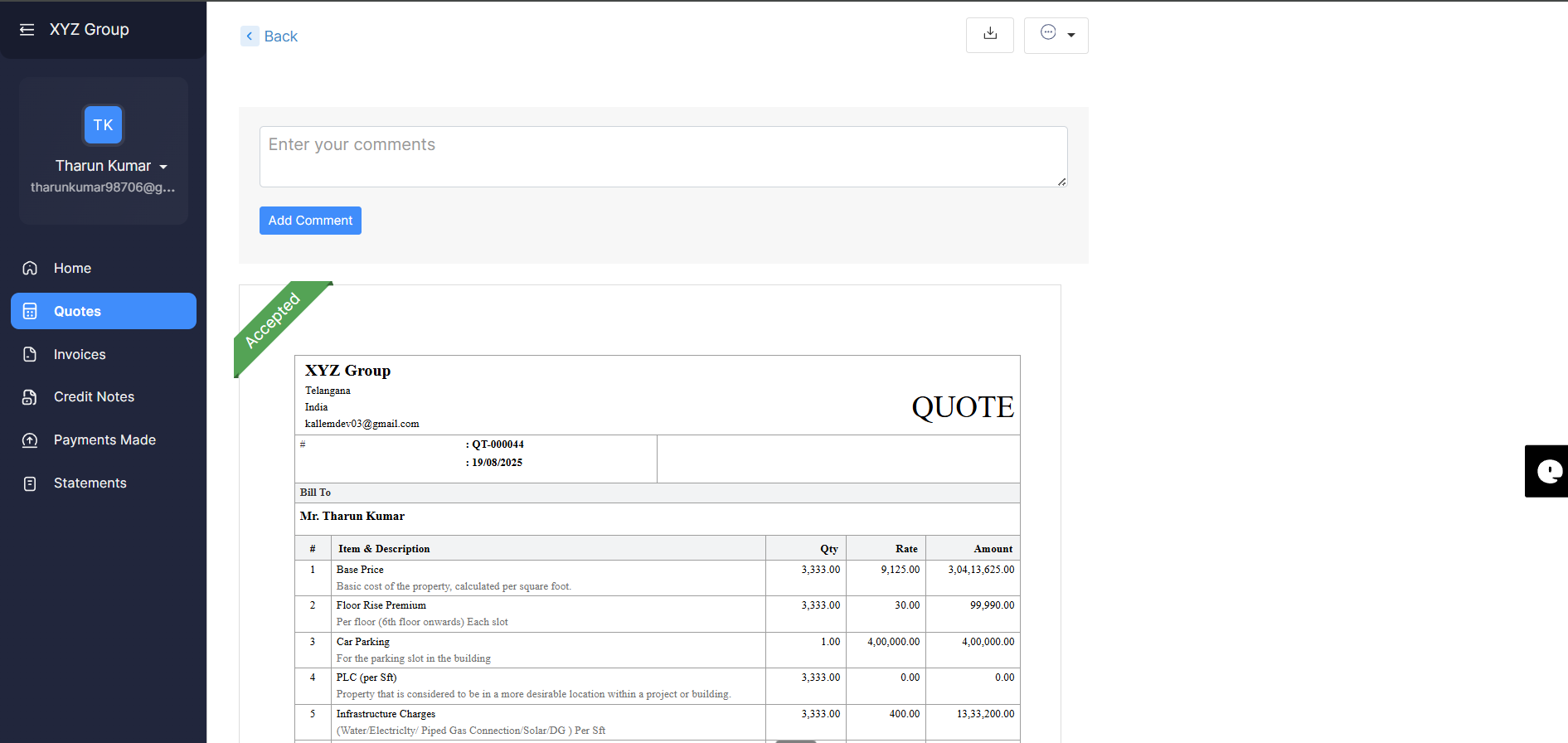
After quote acceptance, the invoice is generated in Zoho Books and the CRM updates the Deal stage to reflect the invoicing step. This ensures sales, accounts, and the customer remain aligned throughout the purchase lifecycle.
Installments, Recording Payments and Progress Levels
Real estate purchases often involve multiple installments. We added an "Installments" section that shows total payable value, scheduled installments, and the percentage paid so far. When customers make partial payments, recording the payment updates the invoice and automatically advances the customer's progress stage (for example, Level 0 → Level 1) based on configured percentage thresholds.
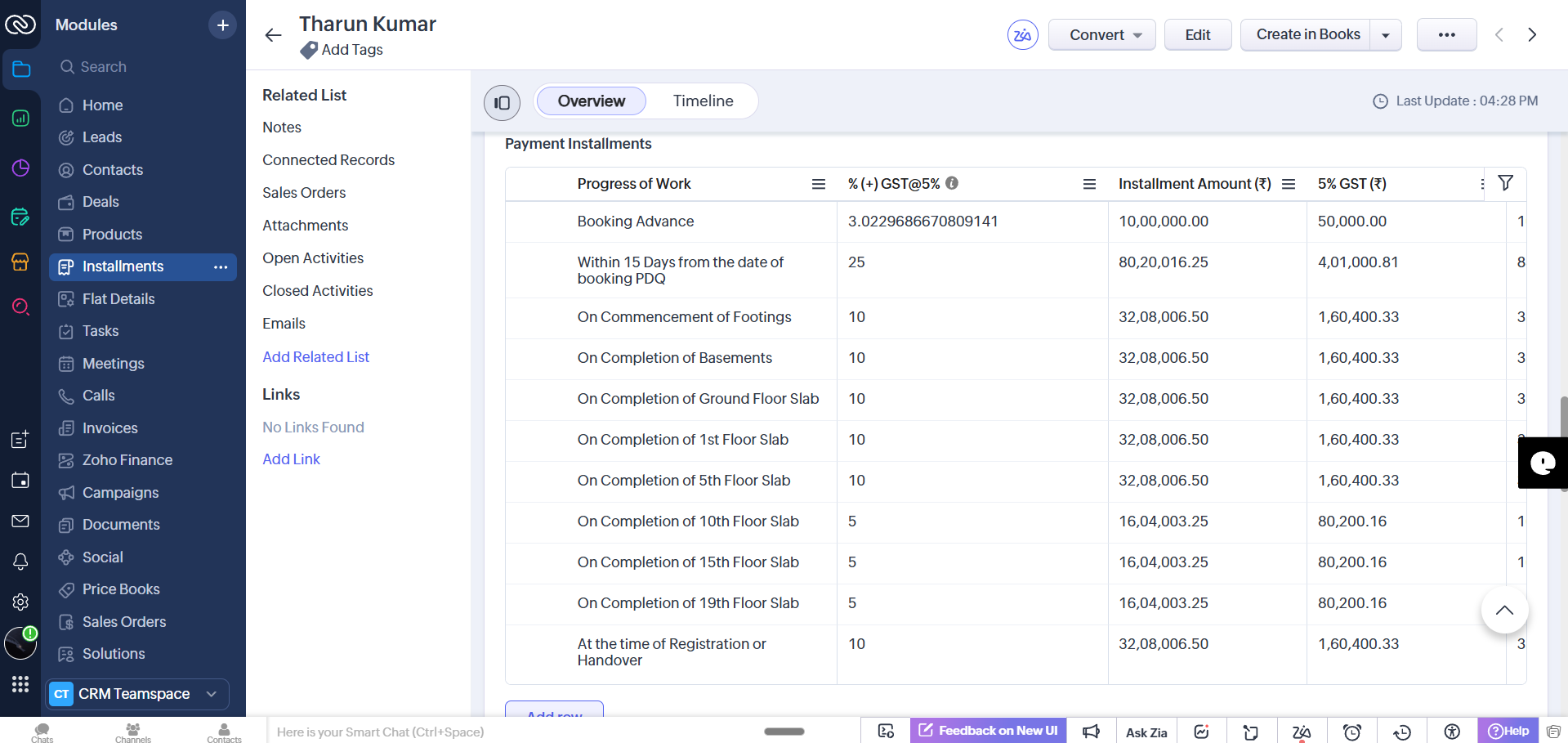
This automated progress tracking helps the sales and operations teams know exactly where each customer stands—whether a unit is still available, partially reserved, or fully booked.
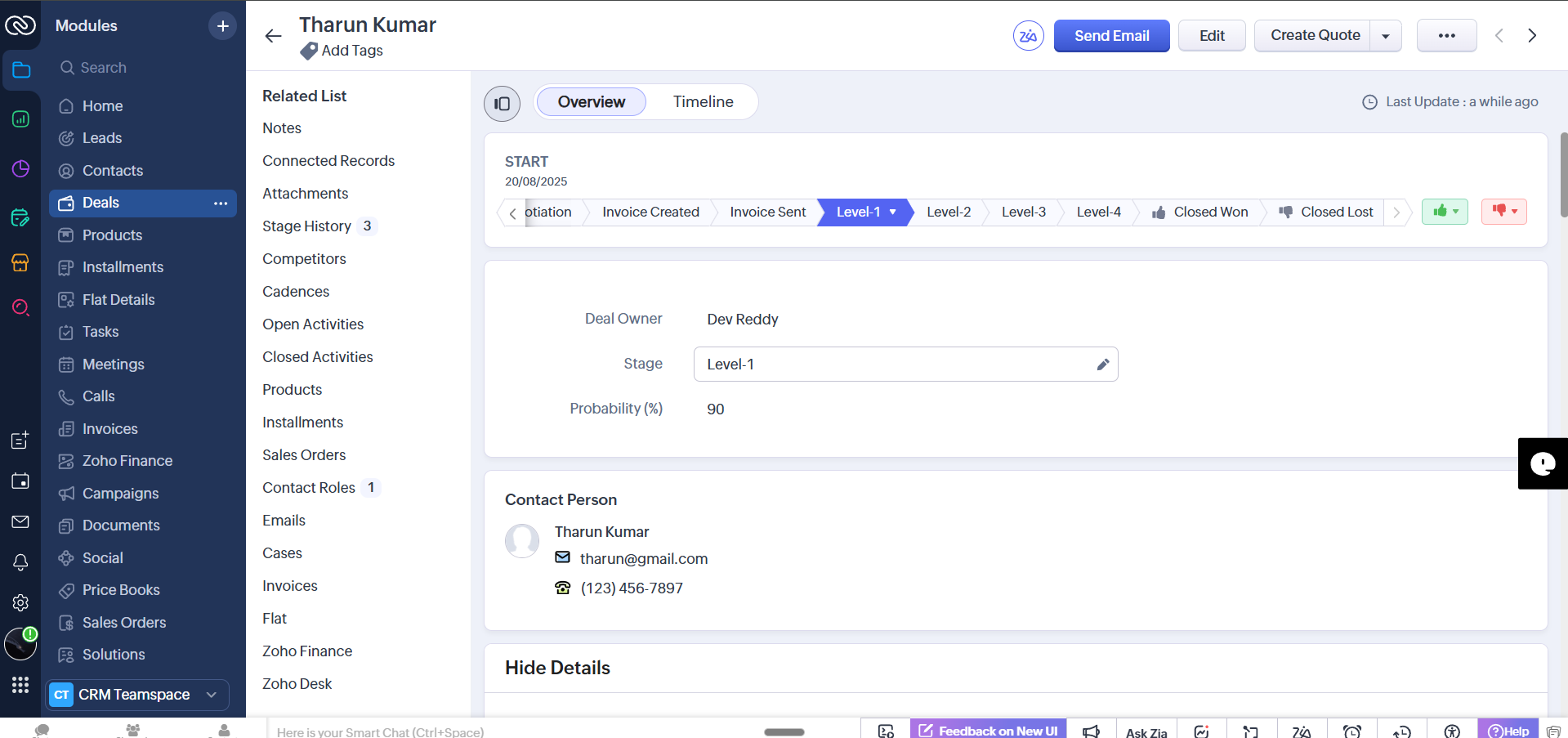
Future Enhancements: Site Visits, Vehicle Tracking, Policies
This implementation is a proof-of-concept and we plan additional modules such as site-visit scheduling, vehicle tracking for site pickups, detailed progress dashboards, and policy management. Each of these customizations keeps everything inside the same CRM environment so teams continue to work from a single source of truth.
How We Can Help
If your company needs CRM Services for Real Estate Companies—whether it's consultation, customization, or integration with Zoho Books—reach out. We have experience building and deploying these systems and can adapt the solution to your business rules and sales process.
· Consultations and requirement analysis
· Custom modules (flat inventory, installments, site visits)
· Telephony and portal integrations
· Zoho CRM to Zoho Books automation
